
Hole Run 3D
More Games


Where it fits: part arcade scoop-up, part puzzle
Most “hole” games are basically snack-time: roll around, eat everything, get bigger, repeat. Hole Run 3D is still that at its core, but it leans harder into the puzzle side because the level can fail instantly. The bombs aren’t just point-loss hazards — they’re hard stop, try again.
That one rule changes how you play. Instead of mindlessly vacuuming the whole platform, you end up planning little routes: clear a safe pocket first, grow just enough to reach the good stuff, then swing back around the danger. It feels more like threading a needle than doing a lap.
It also does the “satisfying growth” thing in a pretty readable way. Early in a stage, the hole feels picky and you’re hunting for small blocks; later, you’re wide enough that whole clusters disappear in one pass, which makes the end of a good run feel fast and a little chaotic.
What you actually do (and how the mouse feels)
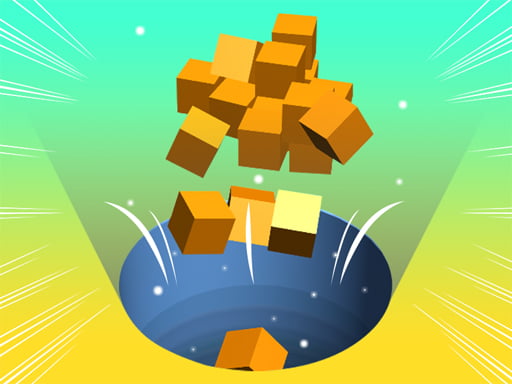
The whole game is you steering a black hole across a flat platform. Move the mouse and the hole follows, sliding around to swallow colorful blocks and diamonds. Anything you swallow boosts your score, and the hole grows as it eats, which opens up bigger pieces you couldn’t take at the start.
Controls are simple, but the handling has a tiny bit of “float” to it — if you whip the cursor around, the hole can overshoot and drift into places you didn’t mean to go. That’s not a bad thing; it’s the reason bombs feel scary. When you’re trying to skim past a bomb sitting next to a pile of diamonds, you can’t just jerk the mouse and hope.
The two big rules you learn fast:
- Bombs end the level the moment they drop in.
- Growing bigger is good, but it also makes tight spaces and near-bomb scoops riskier.
A small tip that helps immediately: when a diamond is sitting right beside a bomb, don’t approach it from the “bomb side” even if it looks shorter. Come from the other direction so the hole’s edge isn’t drifting toward the hazard as you slow down.
The progression curve: short levels, sharper layouts
Hole Run 3D ramps up in a way that’s easy to feel: early levels are basically training wheels, with bombs parked far from the main loot and lots of space to turn. Most clears in the first chunk take under a minute, and you can get away with big, lazy arcs.
Around the mid levels, the layouts start doing that annoying-but-fair thing where the best rewards are placed near danger. You’ll see bombs guarding clusters, bombs tucked near corners where you like to “reset” your movement, and situations where you have to choose between grabbing everything or playing it safe and finishing with a smaller score.
The difficulty spike usually isn’t about faster movement; it’s about tighter decision-making. Once bombs start appearing in the middle lanes instead of just the edges, you can’t do one long sweep across the platform anymore. Runs turn into short segments: clear safe stuff, reposition, then go for the risky pocket.
And because failure is instant, the game becomes a quick loop. You’ll restart more often later on, but those restarts are fast — it’s the kind of game where you’ll say “one more try” because you were a single pixel away from a clean scoop.
A detail most people miss: use growth to “change your route,” not just your reach
Most players think the whole point of getting bigger is reaching larger blocks. True, but the bigger advantage is that your route options change as you grow. A small hole can slip between objects and do precision work; a larger hole can clear a messy area quickly so you don’t have to keep driving past the same bomb over and over.
Here’s the common mistake: people chase the largest cluster early because it looks efficient. But early on, the hole is small and your margin for error is also small — meaning you spend longer hovering near hazards while you try to nibble pieces one by one. That’s when you accidentally drift into a bomb.
A safer pattern is “outer ring first.” Spend the first 10–15 seconds clearing isolated blocks on the edges to grow a bit, then come back for the dense middle. Once you’re bigger, you can take a whole patch in one pass, which reduces the time you’re exposed to risky bomb-adjacent areas.
One more sneaky thing: corners are comfort zones, but they’re also trap zones. If a bomb is near a corner, the wall can limit your escape angle when you realize you’re drifting. When in doubt, approach bomb-heavy areas from open space, not from a corner where you can’t widen your turn.
Who should try it
This one’s good for anyone who likes quick puzzle-arcade games where the rules are simple but the execution gets sweaty. The moment-to-moment is relaxing until you’re lining up a risky scoop, and then it turns into a tiny nerves test.
It’s also a nice fit for score chasers. Even if you beat a level, you’ll probably know you left points on the table because you skipped a bomb-guarded diamond pocket. That makes replays feel purposeful: you’re not grinding, you’re trying a cleaner route.
If you hate instant-fail hazards, though, you might bounce off it. Bombs don’t give warnings, and a “perfect” run can end because your mouse movement was a little too sharp near the edge of one.
But if you like games where you can improve in small, obvious steps — slower turns, safer angles, better sequencing — Hole Run 3D is that kind of snack.
Quick Answers
How do you avoid bombs consistently?
Don’t skim along their edge. Approach loot near bombs from the side with open space so you can widen your turn, and grab safer blocks first so you’re bigger and can clear risky clusters in one pass.
Is it better to collect everything or finish the level safely?
Early on, try to collect most things to learn the layouts. Later, finishing safely is usually smarter unless you’re specifically replaying for score, because one bomb wipes out the whole attempt.
Read our guide: The Best Puzzle Games Online
to leave a comment.