
Toca Life Memory Card Match
More Games


What Toca Life Memory Card Match Is All About
There is something oddly satisfying about flipping a card and knowing — before it finishes turning — exactly what is on the other side. Toca Life Memory Card Match channels that feeling into a grid of face-down cards decorated with colorful characters, asking you to find every matching pair through recall and focus. The game carries the quick-session energy of retro coin-op cabinet games, where a round lasts just long enough to sharpen your brain without overstaying its welcome.
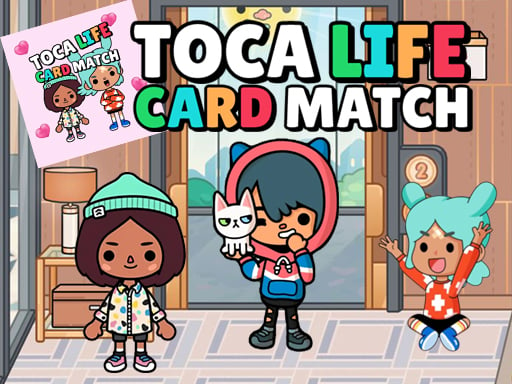
QuilPlay presents Toca Life Memory Card Match free in your browser with bright artwork that makes each card visually distinct. Early boards start with a handful of pairs; later boards expand the grid and introduce characters sharing similar palettes, testing whether your memory stores shapes or just hues.
Mastering the Controls
Click or tap a card to flip it. Click or tap a second card to check for a match. That is the full input set — no dragging, no swiping, no keyboard shortcuts. Speed matters less than accuracy, because every failed match forces both cards face-down and costs time or moves depending on the level mode. On mobile, tap the center of each card to avoid selecting a neighbor in tighter grids. On desktop, a steady mouse hand prevents misclicks on adjacent cards in advanced stages.
Story and Narrative in Toca Life Memory Card Match
Toca Life Memory Card Match frames its levels as a scrapbook of character encounters. Each board introduces faces drawn from a whimsical world of chefs, astronauts, pets, and everyday adventurers. Completing a board feels like cataloging a cast — you flip, recognize, and file them away. There is no dialogue or plot in the traditional sense, but the escalating variety creates a sense of discovery that keeps boards from feeling repetitive after dozens of rounds.
Gameplay Loop That Keeps You Hooked
The loop is tight: scan, flip, remember, match. What elevates Toca Life Memory Card Match beyond a basic memory exercise is how difficulty scales. Boards grow not just in size but in visual complexity. Two characters might share the same hat but differ in shirt color, or mirror each other's pose with one accessory changed. Players who fail on advanced boards typically rely on a single visual cue — color — and get tripped when two cards share that cue but differ elsewhere. The fix is to verbalize a second detail when you flip a card: not just "red character" but "red character holding an umbrella." That dual-tag approach dramatically improves accuracy on crowded grids.
A second pitfall is random flipping — tapping without a plan, hoping to stumble into pairs. Structured scanning works far better. Start from one corner, flip cards in a row, and mentally map each reveal to its grid position. When you recognize a match from an earlier reveal, you already know where to tap. QuilPlay rewards this systematic approach with faster clear times.
Why Toca Life Memory Card Match Is Perfect for Quick Sessions
A single board clears in under ninety seconds, making Toca Life Memory Card Match an ideal mental warm-up. The game demands full attention for a short burst, then releases you with a satisfying board-clear animation. That rhythm fits neatly into a break between tasks where you want engagement without long commitment.
Open Toca Life Memory Card Match on QuilPlay, flip the first card, and see how many boards your memory can handle before a tricky pair slips past your recall.
Quick Answers About Toca Life Memory Card Match
What happens when I flip two cards that do not match in Toca Life Memory Card Match?
Both cards flip back to their face-down state after a brief reveal window. No lives are lost, but the failed attempt costs time or adds to your move count. The reveal window lasts roughly one second — long enough to reinforce where each character sits if you pay attention during the flip-back.
How does Toca Life Memory Card Match compare to other quick-session card games?
Traditional card-matching games use generic symbols like shapes or numbers. Toca Life Memory Card Match uses detailed character illustrations with multiple distinguishing features, increasing visual interference and making the memory task harder than matching simple icons.
Can I play Toca Life Memory Card Match with keyboard controls?
The game is designed for click and tap input only. There are no keyboard mappings for card selection. On desktop, use a mouse or trackpad to click individual cards; on mobile, tap directly on the card face.
to leave a comment.