
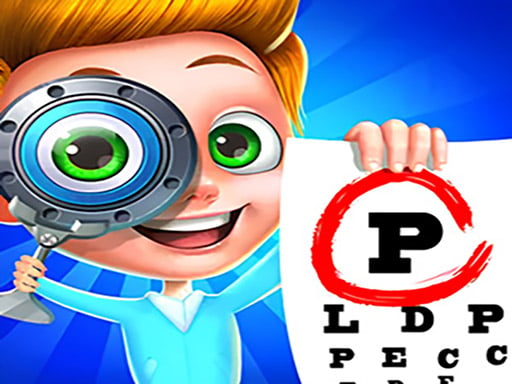
Super Doctor Body Examination
More Games



Where it sits in the genre (and what it doesn’t pretend to be)
Most “doctor” games online fall into two buckets: either they’re chaotic mini-game collections, or they’re dress-up games with a stethoscope sticker on top. This one is closer to a guided clinic checklist. You’re not running a hospital, you’re not managing time, and you’re definitely not doing anything that looks like real surgery.
What it does differently is keep the focus on the exam itself: pick a patient, use the tool the game wants, complete the step, then move to the next step. It’s basically an interactive walkthrough of a basic physical exam, wrapped in bright visuals and simple patient problems. There’s some anatomy vocabulary sprinkled in, but it’s not trying to be a textbook.
Also: it’s calm. No timers, no jump scares, no “lose condition” that kicks you out. If you want pressure, you won’t get it here.
What you actually do: tools, prompts, and click order
The whole game runs on mouse clicks or taps. The interface usually gives you a tool tray (or a highlighted tool) and a clear hint about where to use it. Click the tool, click the body area, watch a short animation, and the game checks the step off.
The “mechanic,” if you can call it that, is correct sequencing. The game wants you to do things in a certain order, and it will quietly block you from skipping ahead. Try to use the thermometer when it’s waiting for a stethoscope step and you’ll get the classic “nothing happens” feedback until you follow the prompt.
Exams are bite-sized. A single patient usually takes about 3–6 minutes if you don’t get stuck hunting for the right hotspot. A lot of your time is spent on the two most basic actions: selecting the correct instrument and finding the exact area the game considers valid (chest, mouth, arm, etc.).
Controls are as simple as they come:
- Click/tap a patient to start an exam.
- Click/tap the tool the prompt indicates.
- Click/tap the highlighted body area to apply it.
- Repeat until the case wraps up.
Progression: more steps, not harder decisions
Progression here is mostly length and variety, not complexity. Early levels feel like a quick “intro checkup” with obvious tools. After a couple of cases, the game starts stacking more steps into the same appointment: check temperature, listen to breathing, look at throat, check eyes, and so on.
Don’t expect deep diagnosis logic. You’re not comparing symptoms across a chart and making a call. The game tells you what to do, you do it, and you move forward. The “problem-solving” part is light: it’s more about attention than reasoning.
The only real difficulty bump tends to show up when the game stops highlighting everything as aggressively. Around the mid-game, a couple of tool prompts feel less hand-holdy, and players usually lose time to one of two things: forgetting to re-select a tool after an animation ends, or clicking near (but not on) the hotspot the game accepts. That’s the closest thing this game has to a skill wall.
If you’re trying to finish quickly, the biggest timesink is misclicking the interaction zone. One case can balloon from 4 minutes to 8 just because you’re clicking around the patient’s head trying to find the “mouth” spot the game wants.
A small detail most players miss: the game is training your eyes, not your medical knowledge
Here’s the blunt truth: most players think they’re failing because they don’t “know” what tool to use. Usually that’s not the issue. The game almost always tells you the tool or shows it clearly in the UI. The real trick is noticing what changed on the screen after each step.
After an action, the game often subtly updates something: a new tool becomes active, an icon gets a glow, the patient’s pose shifts, or a tiny target area appears. If you click too fast and miss that update, you end up poking random tools and assuming you’re stuck. You’re not stuck—the UI just moved on without you noticing.
Another thing people miss: you can waste a lot of time by clicking the patient first when you should be clicking the tool tray (or the prompt area) to “confirm” the next step. In a few sequences, the game wants a tool selection before it will even show you the correct hotspot. So if you’re clicking the body and nothing works, stop guessing and re-check the tool icons and any highlighted borders around them.
Quick tip that actually matters: when there’s a cluttered tray, pick the tool that matches the prompt’s shape, not the “medical idea” in your head. The game cares about the correct icon, not whether your choice makes sense in real life.
Who should try it (and who should skip it)
This is for players who want a guided, low-stress routine game with a health theme. It works well for younger kids who like role-play, or for anyone who just wants a simple click-through activity where the goal is finishing a checklist.
It’s also decent for people who get nervous about checkups and want a sanitized, cartoon version of the process. It doesn’t replicate real exams, but it does normalize the sequence: tools come out, simple measurements happen, and the patient is fine.
Skip it if you want actual medical decision-making, branching outcomes, or any kind of challenge beyond “find the correct spot to click.” It’s not a management sim, it’s not a puzzle game, and it’s not trying to surprise you. It’s a guided exam simulator. That’s the whole thing.
Read our guide: The Best Simulation Games Online
to leave a comment.