
Phone for Kids
More Games




A toy phone made of buttons, sounds, and short learning prompts
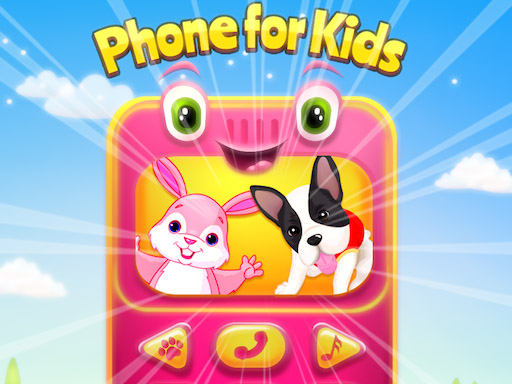
You’re looking at a simple “toy phone” activity built around tapping big, colorful buttons to trigger sounds. Each press plays a nursery rhyme, musical note, or short sound effect, with the screen acting like a set of large icons rather than a level map.
The main thing the game asks for is exploration: tap a button, hear what it does, then try a different one. Some buttons focus on familiar children’s songs, while others are more like quick prompts for early skills (numbers, letters, and basic musical tones). There is no score screen and no timer pushing the pace.
As an educational/puzzle category game, the “puzzle” part is lightweight. The closest it gets to problem-solving is recognition and cause-and-effect: learning that a certain icon always produces a certain sound, and remembering where to tap to get the rhyme or note you want.
Controls and how a typical session works
Controls are one-input only: click or tap. There are no drag gestures, no keyboard inputs, and no precision requirements. Any device that can register a simple tap is enough to play it.
A typical session is a loop of: tap an icon, listen, tap again. Most audio clips are short, so the feedback is immediate. Kids usually end up pressing the same favorite button repeatedly for a while, then switching to another when the song or sound finishes.
The game is structured to be self-starting. There isn’t a required “start” sequence beyond tapping something on the screen, and it doesn’t demand reading to make progress. If a child can reliably tap the center of an on-screen button, they can access everything the game provides.
- Tap any button/icon to trigger a rhyme or sound.
- Tap a different button to change the sound source.
- Repeat freely; there is no penalty for random taps.
Progression: what changes over time (and what doesn’t)
Phone for Kids does not have traditional levels, locked content, or an escalating difficulty curve. There are no “Stage 1 to Stage 10” transitions, no faster rounds, and no increasing obstacle count. The content is available from the beginning as a set of interactive buttons.
The progression is mostly external to the game: a child’s familiarity improves over repeated sessions. Early on, kids tend to tap randomly just to produce noise; after a few minutes, many start showing preference patterns (for example, repeatedly triggering one rhyme, then looking for another sound they recognize).
In practice, most play sessions are short and repeatable. Many kids spend about 3–5 minutes in a single sitting before wandering off, then come back later and re-tap the same few icons. That repetition is the main “loop,” and it’s also where recognition of letters/numbers/notes can start to stick.
Because there is no built-in ramp, adults controlling the difficulty usually do it by how they introduce the buttons. One common approach is to focus on one topic per session (only numbers today, only letters tomorrow) instead of letting every sound fire at once.
What catches people off guard
The biggest surprise for adults is that the game is more of an interactive soundboard than a structured lesson. It doesn’t check answers, it doesn’t correct mistakes, and it doesn’t require a child to “complete” anything to move forward. If you expect quizzes or a “match the letter” screen, this will feel looser.
Another thing that comes up quickly is repetition. Kids often find one button they like and hit it over and over; it’s normal to hear the same short rhyme segment 10+ times in a row. If the goal is variety, an adult usually has to guide the child to try a new icon after the familiar one finishes.
Also, the learning signals are easy to miss if the child is tapping too fast. Rapid tapping can interrupt the sense of a full rhyme or melody, turning it into short bursts of sound. Slowing down helps: letting one clip play for a few seconds before pressing the next button makes the “numbers/letters/notes” idea clearer.
Specific tip: if the game includes both musical-note buttons and rhyme buttons on the same screen, start with just two targets. Ask the child to find the same button twice in a row (for example, “tap the note again”), then add a third. That simple “repeat the same icon” task is often harder than it sounds for first-time players and works better than asking them to switch constantly.
Who this is best for
This is aimed at toddlers and very young kids who benefit from big targets, instant feedback, and predictable audio. It works best for children who are still building basic tap accuracy and attention span, since it doesn’t punish mistakes and doesn’t require reading.
It’s also a reasonable pick for a short, supervised activity where an adult sits nearby and reinforces the content (“that was the letter A,” “that was three,” “that was a high note”). Without that reinforcement, the experience can easily become “press buttons to hear sounds,” which may still be fine depending on the goal.
Players looking for a real puzzle structure, a win condition, or measurable progress will probably find it too open-ended. For a simple nursery-rhyme phone toy with numbers/letters mixed in, it matches what it claims to be.
Read our guide: The Best Puzzle Games Online
to leave a comment.