
Halloween Tom Math Challenge

More Games

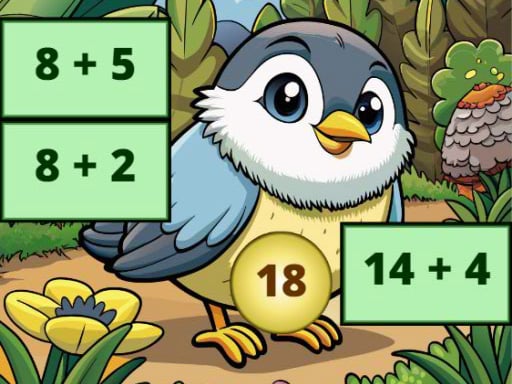




Quick overview: it’s timed math with a Halloween coat of paint
The whole game is you helping Tom by solving basic math questions quickly while the Halloween theme does its thing in the background. It’s not an open-world adventure and it’s not a puzzle epic. It’s a reaction-speed arithmetic quiz dressed up as a spooky “keep going” challenge.
Each prompt is a simple equation with answers you click. Get it right and Tom keeps moving through the stage. Get it wrong (or take too long) and you’ll feel it immediately, because the game is built around momentum and pace, not careful thinking.
Most rounds don’t last long. If you’re answering confidently, a run tends to be a few minutes before the difficulty tightens up or you slip on a careless error.
Controls: only the mouse, and that’s the point
You’re clicking. That’s it. The game doesn’t ask you to type answers or move Tom with keys. Every decision is “select the right option” and “do it fast enough.”
Expect these interactions to come up again and again:
- Click an answer choice to submit it.
- Click buttons/prompts to continue to the next question or stage.
- Occasionally click UI elements that start/restart a run.
The only real “skill” in the controls is clean clicking. If you misclick, the game treats it like a bad answer. On smaller screens or trackpads, that can be the difference between a smooth streak and a dumb reset.
Stages and progression: the questions speed up before they get complicated
The progression is basically a ramp: early questions are there to get you moving, then the game starts leaning on time pressure. The math itself stays in the “basic operations” lane, but the pace becomes the actual problem.
Early on, you’ll see stuff that’s almost insultingly simple (the kind of addition and subtraction you can do without thinking). After a bit, the same level of math starts coming faster, and you’re punished more for hesitation. The “Halloween adventure” feeling comes from pushing through these sets without breaking your streak.
The difficulty spike usually isn’t because the equations suddenly become advanced. It’s because the timer starts forcing snap decisions. Around the middle stretch of a run, you’ll notice you have less time to double-check, which is exactly where people start dropping easy points on things like 7+8 or 12−5.
Also: the game tends to mix in operations so you can’t lock into one rhythm. When you’re cruising on addition, it’ll toss in subtraction or a simple multiplication and you’ll lose half a second just switching gears.
Strategy and tips: win by staying calm and reducing thinking time
First tip: don’t treat it like a math test. Treat it like a speed game. The goal is to remove steps between seeing the problem and clicking the answer.
It helps to build tiny “autopilot” habits. For example, when you see subtraction, immediately think in terms of counting up (how far from the smaller number to the bigger one) instead of doing it the long way. That’s often faster when the numbers are close.
Second tip: watch your own panic. People lose this game on questions they absolutely know because they start rushing and clicking before their brain lands. If you feel yourself getting sloppy, slow down for one question and reset your tempo. Losing one second is better than losing the whole run.
Third tip: keep your cursor positioned intelligently. Hover near the center of the answer area between questions so your next click is a short movement. It sounds minor, but in a timed click-answer game, shaving off travel time matters. On faster stretches, that tiny movement is basically your buffer.
Quick habits that actually help:
- Say the result in your head before you look at the options.
- If two answers look close, re-read the operation sign (+, −, ×) before clicking.
- Try not to “chase” the cursor—move, then click, not both at once.
Common mistakes: the game feeds on lazy reading
The #1 fail is misreading the problem. Not “not knowing math.” Misreading. People see a pair of numbers and assume addition because that’s what their brain expects, then click the obvious sum and eat the penalty when it was subtraction.
The #2 fail is answer-option tunnel vision. Players look at the choices first, then back into the equation, then back to the choices, and waste time bouncing their eyes around. If you compute first and then confirm the option, you’ll be faster and you’ll make fewer dumb clicks.
The #3 fail is speed-clicking when the timer gets tight. You start guessing instead of calculating, and the run collapses. Guessing can work if it’s multiple choice and you can eliminate options quickly, but most of the time you’re not eliminating anything—you’re just hoping. Hope is not a plan.
Another common one: blaming the mouse. Yes, misclicks happen, especially on small buttons or touchy trackpads. But most “misclicks” are really “I clicked while moving.” Slow the hand down a fraction and you’ll magically get more accurate.
Who this works for: quick practice, not deep learning
This is good for basic arithmetic practice under time pressure. Kids who are already learning addition/subtraction (and starting multiplication) will get repetition without feeling like they’re doing worksheets. Adults can use it as a warm-up game if they like speed drills.
If someone needs careful, step-by-step teaching, this isn’t it. The game doesn’t stop to explain concepts. It assumes you know what to do and then tries to make you do it faster than you’re comfortable with.
It also isn’t for players who want a real “adventure” with exploration, story choices, or problem-solving beyond arithmetic. The Halloween theme is mostly flavor. The core loop is: question, click, repeat, get faster.
If that sounds fine, it delivers exactly that. If it doesn’t, no amount of pumpkins and spooky vibes will change your mind.
Read our guide: The Best Adventure Games in Your Browser
to leave a comment.