
Gem Runner

More Games


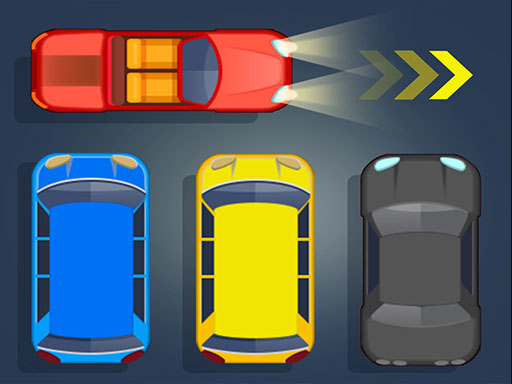
The hook: it’s a runner, but it plays like a racing game
You’re not “running” so much as you’re driving yourself down a narrow 3D road with nothing but split-second lane choices.
Gem Runner sits in that classic endless runner lane: forward motion is automatic, the track throws obstacles at you, and score comes from distance plus pickups. What it does differently is the feel. The camera is tight and chase-style, so the road reads more like a racing line than a platforming course. When you clip an obstacle, it doesn’t feel like you missed a jump—it feels like you misjudged traffic.
A lot of endless runners lean on power-ups or complicated move sets (slide, jump, wall-run). Here it’s mostly about clean dodges and steady collecting. That simplicity makes the speed increase matter more. You can’t “tech” your way out with a fancy move; you just have to be early and accurate.
And the safety net changes the mindset. Instead of one-and-done runs, you get three extra lives. It turns early mistakes into a warning shot rather than a reset, which makes it easier to play aggressively for coins and diamonds.
What you actually do moment to moment
The core loop is pure: move into safe space, skim past obstacles, and vacuum up lines of coins with the occasional diamond sitting in riskier spots. The best runs feel like threading a needle—taking the tight gap because the coin line is calling your name.
Controls are intentionally light. One click or tap starts the run, and taps/clicks handle your movement decisions. There’s no menu full of abilities to memorize, so the learning curve is mostly “read the road faster.” That makes it great on mobile, but it also means desktop players can treat it like a reaction-time test.
A small thing you’ll notice after a few restarts: the road is built to bait you. Coins often pull you toward the edge right before an obstacle blocks that lane, so playing greedy gets punished fast. If you want to push score, you end up doing a rhythm: grab, shift, grab, shift—always preparing the next lane before you need it.
- Coins are the steady score builder and usually appear in safer lines.
- Diamonds pop up less often and tend to sit where you have to commit early.
- Crashes are loud and obvious, which helps you learn what you hit (and why).
The speed curve (and where most runs end)
Gem Runner doesn’t waste time. The first stretch is basically onboarding: wide reaction windows, obvious obstacle placements, and enough breathing room to learn how far a tap shifts you. Then the game starts tightening the screws.
The big change is the speed ramp. After you’ve been alive for a bit, obstacles come in faster clusters, and the “correct” choice becomes less about dodging the current block and more about setting up the next two. That’s when players burn through their extra lives quickly—one hit turns into a second hit because you respawn into a bad lane or panic-tap.
In practical terms, most casual runs land in that 1–3 minute zone before the road feels like it’s rushing at you. Once you’re past that, you’re not reacting anymore—you’re predicting. The best scores come from staying calm when the camera feels like it’s sprinting.
Those three extra lives matter most here. Early on they’re basically free retries. Later, they’re a resource you protect. If you’re aiming for a personal best, treat the first life as “warm-up,” then lock in and try to keep at least one spare for the late-speed chaos.
A detail people miss: the camera is a clue, not just a view
It’s easy to ignore the camera follow because it’s always behind you, always centered, always doing its thing. But it’s quietly teaching you timing.
When the speed ramps up, the camera makes obstacles feel closer sooner than you expect. That’s not just for looks—it’s a signal that you should commit earlier. If you wait until an obstacle is “right in front,” you’re already late at higher speeds. Players who start dodging as soon as an obstacle enters the lower third of the screen last longer, even if their taps aren’t perfect.
There’s also a coin-reading trick: coin lines often preview the safe lane one beat ahead. If a dense coin trail suddenly stops in your lane while another lane continues, that’s frequently a hint that something is about to occupy your current path. It’s not foolproof, but it’s a real pattern you can use when the game gets too fast to fully process every obstacle.
One more tiny habit that helps: after you collect a diamond, don’t celebrate. Diamonds tend to sit in “commitment spots,” and the next obstacle often arrives right after. A quick reset tap—getting back toward center or your preferred lane—saves lives.
Who should play Gem Runner
This one hits if you like clean, repeatable runs that get intense without getting complicated. It’s perfect for quick sessions where you want to chase a better distance, a cleaner line, or just a run where you don’t waste lives on silly early bumps.
It also fits players who like racing-game pressure but don’t want steering physics. The decision-making feels like picking a line through traffic: commit early, don’t drift into danger, and don’t let greed pull you off the safe route.
On the flip side, if you want an endless runner with a lot of moves (jump/slide combos, attack buttons, big power-up builds), Gem Runner is more minimal. The fun is in the speed, the lane discipline, and the constant “one more run” because you know that last crash was avoidable.
Quick Answers
How many extra lives do you get per run?
You get three extra lives, so you can crash a few times before the run fully ends. It’s enough to learn the later, faster sections without restarting every mistake.
What’s the best way to improve fast?
Start dodging earlier than you think you need to, especially once the speed picks up. Also, don’t chase every diamond—grab the ones that don’t force a last-second lane swap into traffic.
Read our guide: Top Free Racing Games
to leave a comment.