
Click and Color Dinosaurs
More Games





Quick overview
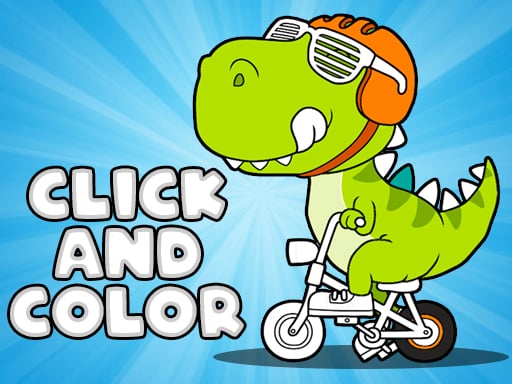
You pick a dinosaur outline from a gallery and fill in its sections with color. That’s the whole loop. No timer, no score chase, no “win” screen that changes anything meaningful.
The “puzzle” part is light: it’s mostly about keeping track of which areas you’ve already colored and deciding on a palette that doesn’t look messy. The “educational” part is also light, but real—seeing 30+ different dinosaur drawings back-to-back does help kids recognize different body shapes (plates, horns, long necks) instead of calling everything a T-Rex.
Expect most pictures to take around 2–6 minutes depending on how picky you are. If you’re the type who needs goals and progression, this won’t magically provide them.
Controls (full breakdown)
It’s one input: click or tap. There’s no keyboard play here, and there’s nothing to memorize.
The basic flow goes like this: first you select a dinosaur from the gallery, then you pick a color from the palette, then you click/tap a region on the dinosaur to fill it. The region fills instantly—no brush strokes, no dragging, no shading tools.
A small thing that matters: because it’s tap-to-fill, accuracy is about hitting the right region, not “staying inside the lines.” If two regions are thin and right next to each other (common around teeth, claws, and frills), you’ll sometimes need to zoom with your eyes and tap carefully. It’s not hard, just easy to misclick when you’re rushing.
Stages and progression
There aren’t levels in the normal game sense. The closest thing to progression is working through the gallery of dinosaurs one by one, or bouncing around and coloring whatever looks fun.
The gallery is basically your stage select screen. You’ll notice the drawings aren’t all the same complexity: some are big chunky shapes that feel made for younger kids, while others have tighter patterns (scales, plates, little line segments) that take longer and punish sloppy tapping.
The practical “difficulty curve” shows up after the first few easy-looking dinos. Around your 5th to 8th picture, you’ll likely hit a couple designs with lots of small compartments—especially on backs, tails, and around the face—and your completion time jumps. That’s the game’s version of a difficulty spike.
There’s also a soft progression in how you approach it. Early on you color randomly. After a few pictures, most people start doing it in a more organized order (body first, then accents, then background areas) because it looks better and reduces missed spots.
Strategy and tips that actually help
First tip: pick a limited palette on purpose. If you keep switching colors every other click, the dinosaur ends up looking like confetti. A simple rule that works: 1 main body color, 1 belly/underside color, 1 accent color (spikes/plates), and 1 eye/teeth/claw color.
Second tip: color the tiny regions first. The small pieces—teeth, claws, eye rings, thin stripes—are where misclicks happen. If you knock those out while you still care, you won’t end up with three uncolored specks you can’t find later. This is especially noticeable on dinosaurs with frills or bony plates; the edges have lots of skinny segments.
Third tip: work in passes, not chaos. A simple approach:
- Pass 1: fill the largest body regions.
- Pass 2: fill secondary regions (belly, inside legs, tail underside).
- Pass 3: do accents (spikes/plates/stripes).
- Pass 4: finish details (eyes, teeth, claws).
It sounds picky, but it cuts down on “where did I miss a spot?” time. On the more detailed drawings, the last 10% can take as long as the first 50% because you’re hunting for tiny unfilled shapes.
Fourth tip, for kids: keep the dinosaur “real-ish” once in a while. Not because realism matters, but because it turns into a quick learning moment—green/brown body, lighter belly, darker spikes. Then the next one can be neon purple if they want. Alternating like that keeps it from feeling like the same picture repeated 30 times.
Common mistakes
The big one is treating it like a speed task. Clicking fast just increases misfills, and then you spend extra time correcting your own mess. Since there’s no score and no clock, rushing is self-inflicted.
Another common issue is using too many similar colors. If you pick three slightly different greens for neighboring sections, the dinosaur looks unfinished because the differences are too subtle to read as “pattern.” If you want contrast, go clearly lighter/darker, not “almost the same.”
People also tend to ignore the outline’s implied structure. Some dinosaurs have obvious plate lines, scale clusters, or belly segmentation. If you color those randomly, the drawing loses its shape and just becomes flat blocks. You don’t need to be an artist—just be consistent: same plate type, same color.
Last mistake: leaving details for last when you’re already bored. Eyes and mouths are what make the finished picture look “done.” If you quit early, quit after you’ve done the face details, not before. A half-colored body with finished eyes looks way better than a fully colored body with blank eyes.
Who this works for (and who should skip it)
This is for players who want a quiet coloring activity and don’t need rewards. It’s fine for young kids learning basic mouse/touch control because every action is a single click with immediate feedback.
It also works as a low-stakes “break game” for older players—something you can do for five minutes without remembering combos, reading tutorials, or managing resources. If you like picking color schemes and making the same template look different each time, you’ll get what you came for.
Skip it if you want actual puzzle mechanics, unlock systems, or anything that reacts to your choices beyond “this region is now blue.” Click And Color Dinosaurs is a digital coloring book with dinosaur line art. Simple as that.
Read our guide: The Best Puzzle Games Online
to leave a comment.