
Berry Bury Berry

More Games


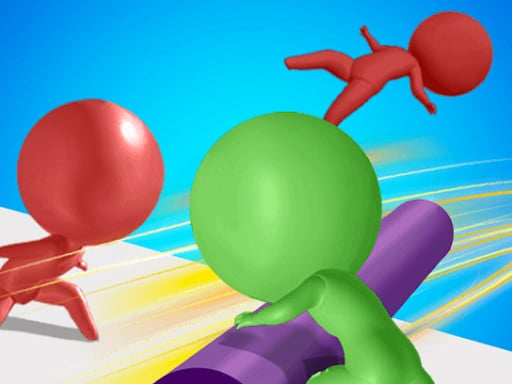


Arcade runner energy, but with a hands-busy twist
You’re sprinting through a bright 3D course, and the track is trying to trip you up every few steps.
At first glance, Berry Bury Berry looks like that familiar arcade setup: run, dodge, don’t crash, reach the finish. The difference is you’re not just surviving the path — you’re managing an object the whole time. Picking up berries changes how you move through space, when you can cut corners, and what risks are worth it.
Most obstacle runners reward clean lines and steady speed. This one rewards quick stops and micro-adjustments. You’ll be jogging into a pickup, doing a tiny turn to line up a throw, then immediately snapping back into “don’t die” mode. It feels more like a relay run than a pure sprint.
The other thing it does differently: the course isn’t only about avoiding hazards. It’s also about not wasting motion. A sloppy pickup or a throw that arcs wide can cost more time than hitting a minor obstacle, because you’ll be forced to double back or fumble with the berry while traps cycle in front of you.
What you’re actually doing (and the controls that make it click)
The loop is simple: move through the level, collect berries, and use throws to “bury” them where they need to go while staying alive long enough to reach the end. The fun comes from how often you’re switching tasks in the same ten-second window.
- WASD moves your character around the course.
- Right-click picks up a berry when you’re close enough.
- Left-click throws the berry you’re holding.
- Q drops the berry without throwing it.
The pickup feels snappy, but it still punishes “drive-by grabbing.” If you’re angled even a little off, you’ll sometimes right-click and get nothing, then lose a step correcting. A good habit is to approach pickups slightly from the side instead of head-on — it gives you a cleaner adjustment lane if you need to dodge immediately after.
Throwing is where most of the speed comes from. If you wait until you’re standing perfectly still, you’ll finish levels, but your runs drag. The game really opens up when you start throwing while already moving past the target zone. You’ll miss a few at first, but once it clicks, your best attempts stop feeling like “run, stop, throw” and start feeling like one continuous motion.
The progression curve: fast starts, then a real spike
Early levels are generous. Obstacles are spaced out, targets are forgiving, and you can afford to carry berries for a while before dealing with them. Most new players get through the opening stretch on their first or second try, mostly because the course gives you time to recover after a mistake.
Then the game tightens up. Around the point where hazards start stacking — a trap right after a narrow passage, or a moving obstacle placed near a throw opportunity — the difficulty jumps. The biggest change isn’t that the obstacles are “harder,” it’s that the windows are shorter. You’re asked to pick up and throw while the safe timing is cycling, so hesitation becomes its own enemy.
Runs also get shorter once you’re playing aggressively. When you’re learning, an attempt might take a couple minutes because you’re creeping and re-centering before every throw. Once you start pushing pace, most failed runs end in the first 30–45 seconds, usually from clipping something while you’re focused on the berry instead of the track.
The game rewards repeating the same section until it’s automatic. After a handful of retries, you’ll notice you’re not thinking about WASD at all — you’re thinking about when to right-click, and where you want to be standing half a second later. That’s the real progression: the course becomes muscle memory, and your brain shifts to timing.
A small detail most people miss: dropping is sometimes faster than throwing
Q isn’t just an “oops” button.
Most players treat dropping as a mistake recovery tool: you picked up a berry at a bad time, so you dump it and run. But there are moments where dropping is the cleanest play. If you’re about to squeeze through a tight gap or you need a sharp turn to dodge a trap cycle, throwing can force you to face the wrong direction for a split second. Dropping lets you keep your body alignment and keep moving.
Another sneaky use: positioning. If you drop a berry right next to a pickup point or along your intended line, you can set up a smoother second attempt. On some sections, it’s faster to drop, clear the hazard safely, then scoop it up again on the return line than it is to force a rushed throw while the trap is mid-cycle.
And here’s a practical timing trick that shows up a lot: if you miss a throw and the berry lands awkwardly, don’t chase it immediately. Wait one obstacle cycle, then use that “dead time” to retrieve it while the danger is already moving away. People lose tons of runs by panic-sprinting after a berry the instant it bounces, straight into the next trap.
Who this one clicks with
This is for players who like quick retries and that “one more run” feeling, but want something a bit more hands-on than a pure dodging runner. The berry pickup/throw layer means you’re always doing two things at once, and that keeps the pace high even in short levels.
If you enjoy games where shaving seconds matters — lining up cleaner angles, taking riskier lines, throwing on the move — Berry Bury Berry has that kind of self-made challenge built in. You can beat a level cautiously, then immediately replay it trying to look smoother.
It’s also a good fit for anyone who likes simple controls with a skill ceiling. WASD plus mouse clicks sounds basic, but the game asks for real coordination once the obstacles start crowding the throw zones.
If you want long, chill sessions with zero pressure, it might not be your thing. The traps punish lapses, and the fastest way to improve is to accept a bunch of quick failures while you learn the timing. But if you like high-speed cleanup runs where every movement matters, this one hits the spot.
Read our guide: Action Games: A Beginner's Guide
to leave a comment.